Draw & Design
Program MatataBot to draw shapes, patterns, and original artwork while exploring geometry and mathematical concepts through coding.

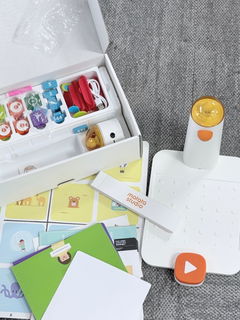
Arrange physical coding blocks and watch it turn each command into movement—making code visible, hands-on, and easy to follow without a screen.
No coding experience needed. Begin with simple movement and sequences, then progress to loops, functions, and more advanced challenges as confidence grows.
Start with an activity from the included challenge booklets, or create an original route, drawing, or melody.
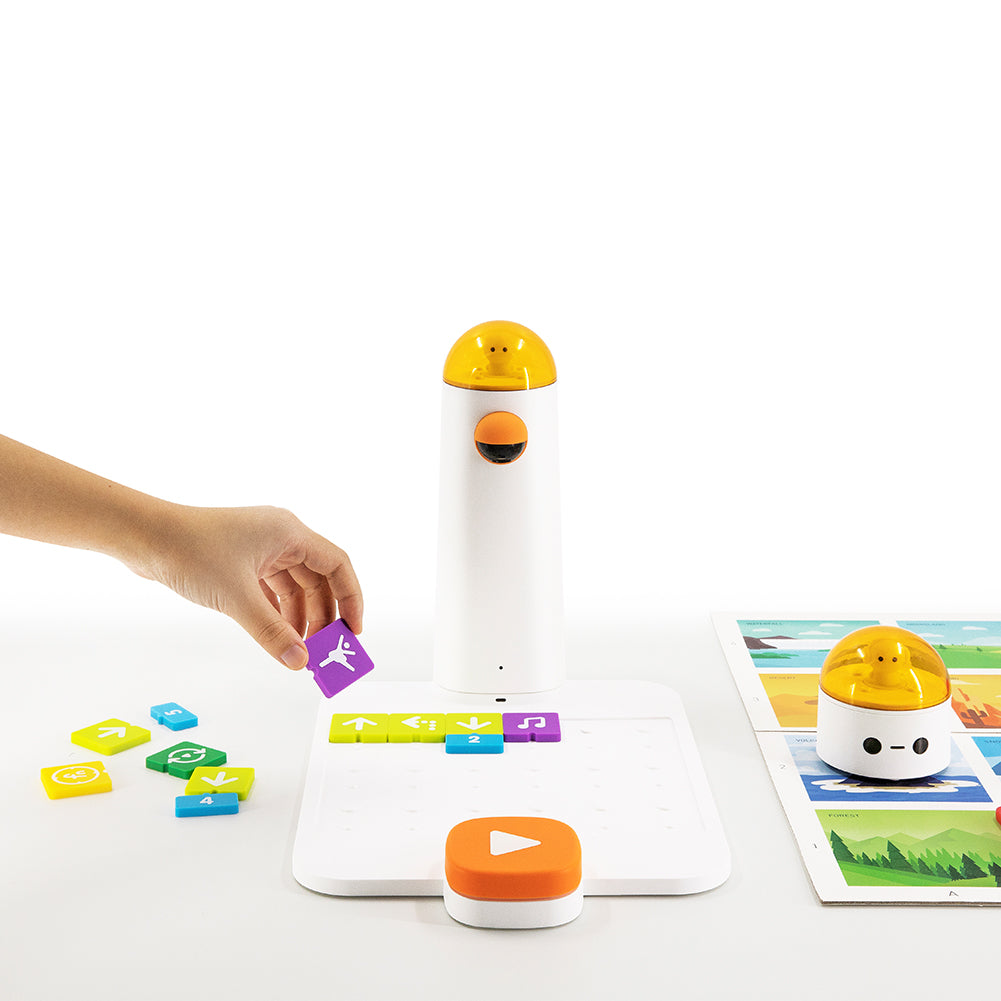
Place the symbol-based coding blocks on the Control Board in the order MatataBot should follow.
Press the large button. The Command Tower reads the blocks and sends the completed program to MatataBot.
Watch the result, identify what needs to change, and rearrange the blocks until the project works as planned.
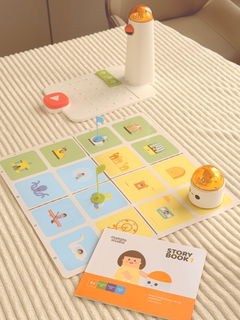
Program MatataBot to move forward, move backward, turn, and follow a planned route across the double-sided map.
Complete the included coding challenges, identify where a program goes wrong, and rearrange the blocks until MatataBot reaches the goal.
Use number, loop, and function blocks to organise repeated movements and build shorter, more efficient programs.
Compatible with small LEGO® bricks, Coding Set opens up more ways to build custom creations and story scenes for every new coding adventure.
Physical coding blocks turn commands into actions children can arrange, test, and watch come to life, making coding inviting from the very first challenge.
Movement, number, and loop blocks help children understand sequencing, patterns, and cause and effect through hands-on programming.
Building the complete route before MatataBot moves encourages children to plan each step and predict the result.
Immediate feedback makes mistakes easy to spot, helping children adjust the blocks, test a new solution, and try again.
Guiding MatataBot across the map strengthens understanding of direction, distance, position, and movement.
Warm-up cards and three progressive challenge booklets help children move from guided practice to more complex programs at their own pace.
Word-free symbols and physical coding blocks make it easy for parents to join in and guide play without any coding background.
More than 100 stories and challenges give families a clear place to start, without having to design new activities each time.
Optional creative and sensor add-ons keep the set fresh as children’s interests and coding skills grow.
Symbol-based commands let students focus on coding logic without needing strong reading, typing, or computer skills.
Progressive challenges introduce sequencing, numbers, loops, and functions step by step across different skill levels.
Tangible blocks, maps, and immediate robot feedback work well for pairs, small groups, learning stations, and story-based tasks.
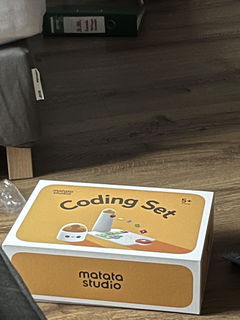
| Product Name | Coding Set | ||
|---|---|---|---|
| Recommended Age | Age 5+ | ||
| Power Source | Rechargeable battery | ||
| Supported Battery Types | 2 Lithium Polymer batteries | ||
| Product Size | 14.09 x 14.09 x 3.54 inches | ||
| Product Weight | 1.5 kg | ||
| Product Dimensions | 10 x 14 x 4.4 inches | ||
| Educational Objective | Coding Skills, Critical Thinking, Matching Skill, Observation Skills, Problem Solving Skills, STEM | ||
| Material Type | Plastic |
Package Box
MatataBot x1
Command Tower x1
Control Board x1
Double-sided Map x1
Left Turn 90°x4
More Forward x4
Move Backward x4
Right Turn 90°x4
Present (Fun) x3
Loops x4
Function x4
Numbers x10
Obstacles x8
Flags x3
Challenge Booklets x3
Coding Set starts with hands-on, screen-free coding and grows with optional Artist, Musician, Sensor add-ons, and Game Box—bringing more ways to draw, compose, play, and experiment.
Program MatataBot to draw shapes, patterns, and original artwork while exploring geometry and mathematical concepts through coding.
Program notes and beats to create melodies and original music, turning coding practice into a hands-on musical experience.
Program MatataBot to detect and respond to obstacles, colors, light, sound, and movement, turning simple programs into interactive challenges.
Turn coding practice into hands-on play with interactive challenges, game-based tasks, and playful missions that make logic, sequencing, and problem-solving even more fun.
| Compare | ||||
|---|---|---|---|---|
| Recommended Age | Ages 5+ | Ages 3+ | Ages 8+ | Ages 12+ |
| Best For | Screen-free coding foundations | First coding and storytelling | Programming and STEAM progression | AI and advanced robotics |
| Screen Use | X | X | Computer or tablet-based | Device-based AI programming |
| Expansion Options | X | Activity Box & TaleMap | Creator Kit, Inventor Kit, AI Vision Kit | X |