Explore More Themes
Add themed interactive maps, blank maps, stickers, and command cards to create more hands-on coding games, cross-curricular activities, and playful learning adventures.

Build a sequence with colorful buttons, then watch Tale-Bot Pro move, talk, draw, and respond across the interactive map—no screen required.
From guided missions to imaginative routes and recorded voices, every command becomes part of a new story children can create and share.
Choose a destination or challenge for Tale-Bot Pro to complete.
Think through each move and action needed to reach the goal.
Press the colorful buttons in sequence to build the program—no screen needed.
Press play and watch Tale-Bot Pro move, talk, and complete the mission.
Compatible with large LEGO® bricks, Tale-Bot Pro can be turned into different characters, vehicles, and story scenes for more imaginative coding play.
Tale-Bot Pro can sing and dance at the same time. 6 dance moves are pre-set inside. Kids can create their own songs and dance with MATATACODE App.
The Tale-Bot Pro's eyes will light up during dancing, and the color of the eyesight will change. Lively performances will be very attractive to kids.
Press the coding buttons to enter a sequence of commands, then watch it turn the programmed path into shapes, patterns, and drawings on paper.
Turns simple commands into real actions, sparking a lifelong love for STEM and learning.
Trains young minds to plan step-by-step and understand cause and effect through hands-on coding.
Kids design, build, and bring their own ideas to life through hands-on coding play.
Unlimited retries let kids test, debug, and try again—turning mistakes into real learning moments.
Kids see their own ideas come to life, building pride and confidence with every challenge completed.
Self-guided play lets kids learn and problem-solve independently, from first steps to advanced challenges.
Turns screen time into shared time, giving families a fun way to bond over play and learning.
Simple, intuitive controls mean parents can join in and guide playtime without any coding background.
Gives parents peace of mind with a hands-on alternative to tablets and passive entertainment.
Comes with structured activities that align easily with pre-K and homeschool lesson plans.
Hands-on, tactile learning keeps young students focused and involved, even those who struggle to sit still.
Simple, durable design makes it easy for teachers to run activities across multiple students or small groups.
| Product Name | Tale-Bot Pro | ||
|---|---|---|---|
| Recommended Age | Age 3+ | ||
| Service time | >=4h | ||
| Body Shell | Environmentally-friendly ABS material, in line with ROHS | ||
| Product Dimensions | 80 * 80 * 58 mm | ||
| Input Voltage and Current | 5V 2A | ||
| Battery Capacity | 1500mAh | ||
| Sensor | OID sensor | ||
| Operating Temperature | 32°F–104°F (0°C-40°C) | ||
| Storage Temperature | 14°F–131°F (-10°C-55°C) | ||
| Normal Charging Time [5V2A adapter] | 2.5h |
Package Box
MatataBot x1
Accessories x6
Washable Marker x2
Interactive Map x1 (Interactive Map & Blank Map)
Challenge Booklet x1
Configuration Card x1
USB - C cable x 1
User guide x1
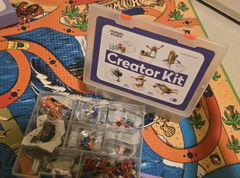
Tale-Bot Pro already brings screen-free coding, storytelling, drawing, music, and interactive play together. Add Activity Box and Exploration Map to unlock more themes, custom scenes, and new ways to create and explore.
Add themed interactive maps, blank maps, stickers, and command cards to create more hands-on coding games, cross-curricular activities, and playful learning adventures.
Bring coding into science, math, social studies, and literacy with themed maps and activity-based tasks that turn every route into a more meaningful learning experience.
Bring Tale-Bot Pro into small-group activities, learning stations, and cross-curricular lessons with a classroom-ready set designed for teachers and schools.
| Compare | ||||
|---|---|---|---|---|
| Recommended Age | Ages 5+ | Ages 3+ | Ages 8+ | Ages 12+ |
| Best For | Screen-free coding foundations | First coding and storytelling | Programming and STEAM progression | AI and advanced robotics |
| Screen Use | X | X | Computer or tablet-based | Device-based AI programming |
| Power Source | - | - | - | - |
| Expansion Options | Sensor & Animation add-on | Activity Box & TaleMap | Creator Kit, Inventor Kit, AI Vision Kit | X |